

About this tool
What YouTube to WAV does
Convert a YouTube video's audio track to a plain WAV file you can drop into a DAW or video editor. ToolPouch resolves the audio stream, your browser downloads it directly from YouTube, and the WAV is written locally at 48 kHz / 16-bit PCM — the same uncompressed format editors expect. Nothing is uploaded, and the exact output specification is printed on the page before you convert.
- The output format is stated up frontEvery WAV is 48 kHz, 16-bit, PCM, mono or stereo depending on the source. The page lists those values before you convert and repeats them next to the finished file, so you can verify the result instead of trusting a label.
- Uncompressed means no second generation lossMP3 encoders throw away detail a second time. WAV stores exactly the PCM the browser decoded, which is what you want when the file still has to survive more editing.
- Nothing is uploadedStep one sends only the video link to our resolver. The audio bytes come straight from YouTube to your browser, and the conversion runs in the tab — no file, name or duration reaches a server.
- Honest about the ceilingYouTube's own audio is already compressed AAC. A WAV cannot restore detail the source never had; it only stops your workflow from removing more of it. Pages that promise 'studio quality' from a web video are guessing.
Quick guide
How to use YouTube to WAV
- 1
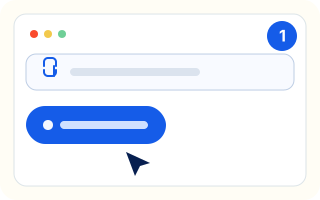
Paste the video link
Paste a public YouTube URL and press the button. Only the link is sent to our resolver.
- 2
Save the audio track
Download the M4A audio stream the page resolves. If a video only has a combined file, save that instead — the audio is still extracted locally.
- 3
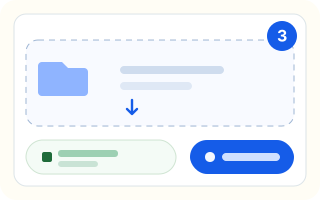
Drop it back in for WAV
Choose the downloaded file in step two. It is decoded and written as WAV in your tab, then offered as a normal download.
FAQ
Frequently asked questions
Is this YouTube to WAV converter free?
Yes. It is free, needs no account, and the conversion happens in your browser rather than on our servers. Only publicly available videos are supported.
What exactly is the output file?
A standard PCM WAV: 48 kHz sample rate, 16-bit depth, and one or two channels depending on the source. No compression is applied, so the file is much larger than the same audio as MP3.
Why is the WAV file so big?
Uncompressed audio is roughly 192 KB per second in stereo at 48 kHz. Five minutes is about 55 MB. If you need a small file, use the MP3 version of this tool instead; if you need to edit further, the WAV is the better starting point.
Why is the limit 10 minutes when MP3 allows 30?
A 30-minute WAV would be roughly 345 MB built in memory, which many browsers cannot handle. The 10-minute limit keeps the file around 115 MB so the tab stays responsive.
Does WAV sound better than the MP3 conversion?
It does not add detail that is missing from YouTube's AAC audio. What it avoids is a second lossy encode, so the file is cleaner to edit and re-export than an MP3 made from the same source.
Can I convert a video that only has a combined MP4?
Yes. Download the combined file the tool offers, then drop it into step two. The audio is decoded from the MP4 locally, so the video track never leaves your device.
What does 48 kHz / 16-bit mean for my editor?
Those are the default project settings in Premiere Pro, Final Cut Pro, Resolve and most DAWs. Keeping them identical avoids a resample step on import, which is where small sync and quality problems usually come from.